For small, founder-run online shops
An editor for your shop.
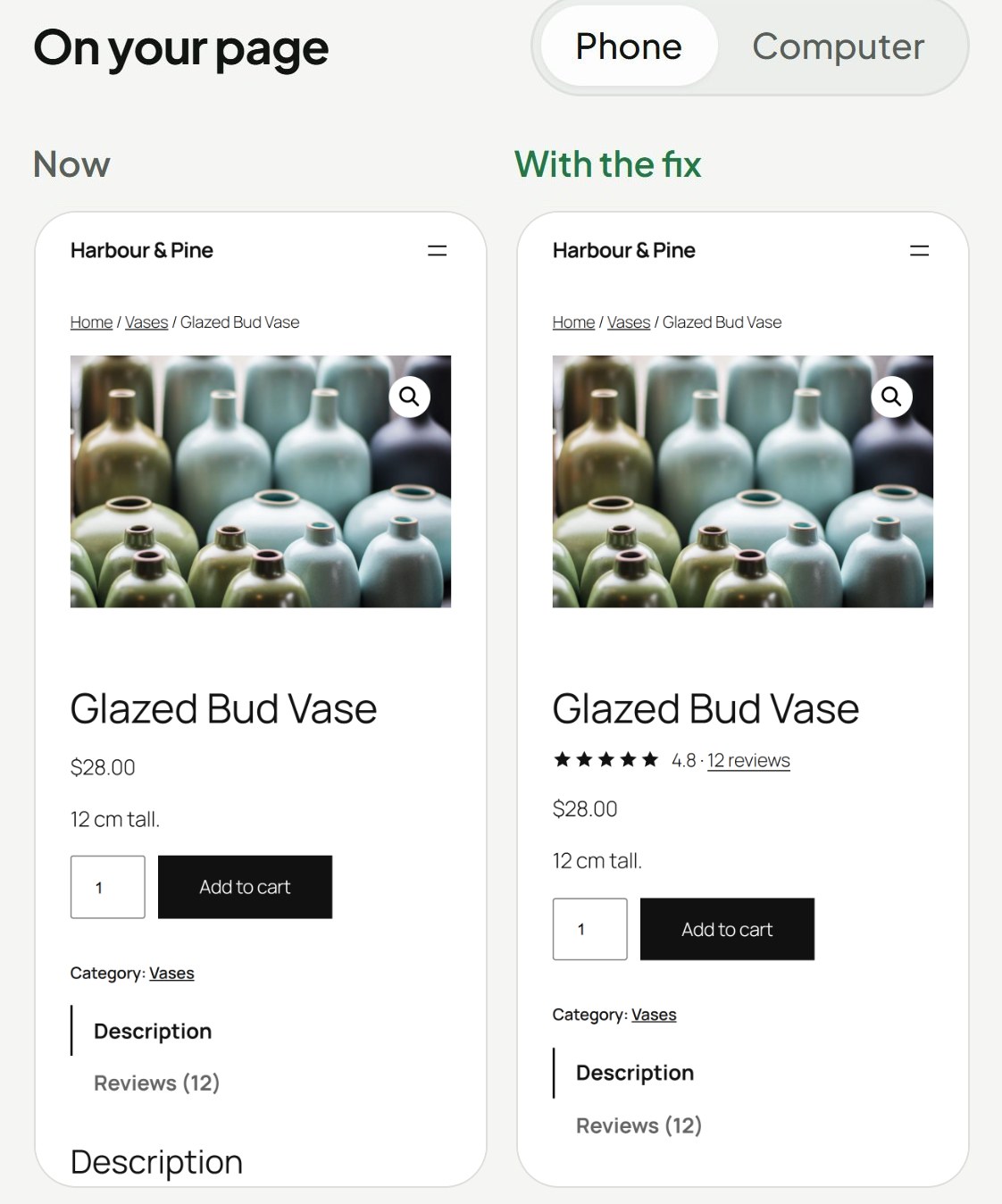
Avery opens your shop on a phone the way a new customer would, and marks what would stop them buying. Then it writes each fix, or the steps to make it, and shows it to you on your own page, privately, before any shopper sees it.

photo?
proof?
What it looks for
The small things a new customer trips over.
A first-time shopper on a phone will not guess. Avery reads each page as they would and puts a mark wherever they would stop.
- HighProduct pageNo reviews shown near the buy button
- HighShop pageDelivery cost not mentioned before checkout
- HighProduct pageProduct has only one photo
- MediumProduct pageReturns not mentioned on the product page
- MediumProduct pageDescription too short to answer questions
Found. Preview. Live. Lift.
Every change goes through the same four stages. These are the words you will see in Avery.
01Found
A shopper stops here.FoundShipping cost is not mentioned anywhere before checkoutHarbour & PineSee the fix →Avery opens your shop on a phone the way a new customer would, and notes what would stop them buying.
02Preview
Preview ready. Only whoever opens this link sees the change.On Shopify, it opens in your theme editor.Only you can see this.It writes the fix and shows it on your own real page, privately: a preview link, or the theme editor on Shopify.
03Live
Approving puts this on your page for every visitor. Undo it any time while changes are on.Approve and publishDiscardOnly you press this.One button puts it live. On Shopify you place Avery’s block once; after that, one click. The fix is part of the page, so no flicker.
04Lift
LiveDelivery line under ShopLiftedUndoChecked on your shop.Avery compares the weeks after with the weeks before. If it did not help, it goes back: by itself once Avery counts your visits and purchases, otherwise when you say so.
Drawn for this page. The finding is real, from Harbour & Pine; the verdict shows how one reads, as an example.
One change, start to finish
Pick any step, or press the buttons, to go through it yourself.
01Found
The same four stages on one change, drawn for this page on Harbour & Pine, our test shop. Its reviews are test reviews, and the verdict is an example.
The ground rules
An editor suggests. You decide.
Avery can write the change. Only you can put it on your shop.
You approve every fix.
Avery never publishes on its own.
You see it before shoppers do.
On your own real page, privately.
Undo in one click.
While changes are on, any live change can be switched off from Avery straight away.
- Home page
- Shop pages
- Product pages
- Cart
- Checkout
- Payments
- Customer accounts
Always.
Why not just run an A/B test?
Testing tools need lots of visitors before they tell you anything. A small shop can wait months for an answer.
Avery starts from what has already been shown to work in real tests, so you get good changes now. It still checks every change on your own shop afterwards.
Where it works
Your shop, whatever it is built on.
On Shopify, Avery adds its own lines to your product page through a block you place once, and other changes come as steps for Shopify’s theme editor.
Pricing
Finding out is free.
Free scan
Type any site address and see what Avery found.
Avery Pro
Adds the fixes you approve, and measures each one, for up to 10 stores. A 14-day free trial, no card to start.
Questions in the margin
- Will shoppers see a change before I approve it?
- No. You see it first, on your own page, privately. Avery never publishes on its own.
- What happens if a change does not help?
- It goes back: by itself once Avery is counting your visits and purchases, otherwise when you say so.
- What does the free scan need from me?
- Just your site's address. Avery shows you what it found straight away, then emails you a link to the full report. Opening it sets up your free account, with no password.
- Do I need a developer?
- No. Avery writes each fix and shows you what will change. On Shopify, a change Avery cannot make for you comes as plain steps in Shopify’s theme editor, with no code.
- Will a fix make my page flicker?
- No. The fix becomes part of the page itself, so shoppers never see the old version swap for the new.